
The latest firmware release is now available for your SNAP PAC System.
If you are using any of the following SNAP PAC System controllers or brains, you'll want to take a look at the new R10.7c update:
SNAP PAC R-series
SNAP PAC S-series
SoftPAC
G4EB2 brains
See the latest fixes covered in this release.
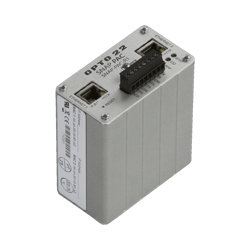 PAC firmware R10.7c is available now and includes fixes for:
- Persistent variable values lost when controller restarts
- PAC Control comm handle overwrites
- Slow reading strings from microSD
- Report Slave ID Modbus function code (0x11) response missing the data byte count
You can also find explanations about these fixes in the following Knowledge Base Articles:
See the README document for complete details on changes and fixes in the R10.7c update.

To get the latest firmware:
- Go to Support > Downloads. Filter on Firmware and type SNAP PAC (or SoftPAC or G4EB2) in the search field to narrow results.
- Click the file for your part number in the list, and then download and save it to your computer.
Alternatively, if you have multiple part numbers, you may find it easier to obtain the Single Download, which includes all of them. - Before installing firmware, review “Selecting the Correct Version of PAC Manager to Install Firmware” in the README.
Reminder: The firmware no longer allows you to download PAC Control strategies with controller redundancy. To continue running these strategies, you must run firmware version R10.4e or lower. - Before installing firmware, carefully read the first few pages of the README document to verify which firmware versions are compatible with your controller, based on its ship date.

Questions?
As always, if you have any questions or issues updating, please contact Opto 22 Product Support.
Product Support is free, and we're glad to help.