
Take advantage of new features, fixes, and improvements in this latest release of the PAC Project software suite, R10.6003.
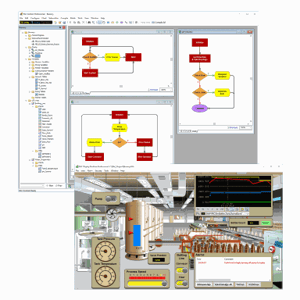
Whether you use Opto 22's basic or professional version of the PAC Project Software Suite, you'll want to hear about some new features and enhancements just added to PAC Control as well as some fixes for PAC Display.
Here's a quick recap along with links to the release notes and update.
Let's start with Enhancements: PAC Project Tools
A new option -gencrc has been added to the PAC Terminal Command Line (TermCL.exe, a utility included with PAC Project) to retrieve the CRC (cyclic redundancy check) for a PAC Control strategy Controller Run file (.crf). The CRC is useful for verifying what version of a strategy is loaded on a controller.
- A renamed subroutine parameter not updated in OptoScript blocks. (KB90030)
- The “Set I/O Unit Scratch Pad Integer 64 Element” command in an action block may cause error -95 in PAC Control. (KB91609)
- Runtime Pro may crash after sending concurrent alarm emails (KB91543)
- Incorrectly applying the Comm Failure color to table object graphics (KB91566)
- Configurator crashing when configuring an alarm point (KB91585)
- Failure to start after reporting MSVCR120.dll error (KB91615)
For complete information about the R10.6003 release and specific bug fixes, see the PAC Project Readme.
Get PAC Project version R10.6003.


Do you still have questions about PAC Project Basic vs. Professional software? This might be the perfect time to try our interactive website demo to help you decide which is better for your application.
Or you can get more details in the PAC Project Basic and Professional Comparison Chart.
Enjoy the updates!